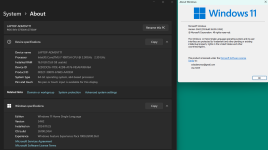
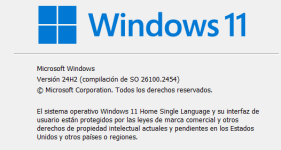
I tried to launch the Markbook-Demo file. I didn’t receive the issue “Code 33”, but the Excel spreadsheet isn’t loaded as expected.
I see a gray screen:
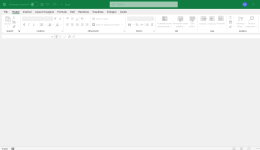
We are working on this issue. It is due to a Preview update Microsoft released some days ago for Windows 11 24H2 users: KB5046740.
If you uninstall that preview update, it works again.
Our third-party provider of the faulty component we are using in XLS Padlock has been advised too and they are working on the issue too.
Hopefully, we’ll get a fix soon.
I’ve also encountered the same issue and cannot uninstall the KB5046740 update. Have others experienced problems uninstalling it as well?
I thank you in advance; please keep us updated.
Update: the problem has been identified.
Caused by the Microsoft KB5046740 update.
Uninstalling this KB (remind that this is a Preview and not the final release by Microsoft) fixes the issue; but this is not a valid fix.
Note: it does not occur on all computers with KB5046740 installed. Some customers with that update do not get the error code 33.
A fix is in preparation and will be made available as soon as the tests are successful. The fix will be integrated into XLS Padlock 2024.3.
An affected client says he is using TotalAV for his AntiVirus progam.
Are there any other affected users using the same AntiVirus program?
Another client Fixed it by doing this:
Uninstalled three recent updates, put updates on pause and disabled auto-install, waited ½ hour (for good measure), resumed downloads (with auto install still disabled), after all downloaded he selected the “install all” option, then Restarted after all installed, problem went away.
Thank you. Yes, we’ll keep you informed.
A random unexpected crash has made us postpone the initial release of today. But it should be OK for Monday or Tuesday.
XLS Padlock 2024.3 is now available on its website. This includes the fix for the “Add-in 2 System Error. Code 33” bug affecting Windows 11 24H2 users who installed the Windows KB5046740 Preview update.