
You are using an out of date browser. It may not display this or other websites correctly.
You should upgrade or use an alternative browser.
You should upgrade or use an alternative browser.
Hiding Formula Bar
- Thread starter eithankh
- Start date

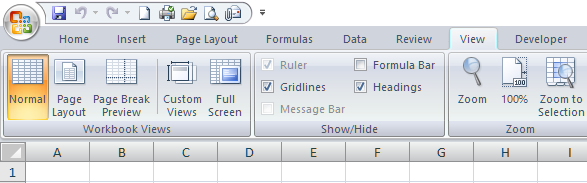
Formular bar can’t be hidden. However, you can also hide formulas in the formular bar with the standard Excel protection or with XLS Padlock’s formula protection feature. Although Excel protection was weak in previous versions, with XLS Padlock features, you can prevent the Excel password protection from being cracked easily.
Attachments
JohnBrennan
New member
Put this code into your worksheet when opening a worksheet event open it will hide the formulabar. So this can be done
Sub HideFormulaBar()
Sub HideFormulaBar()
Code:
  Application.DisplayFormulaBar = False


End SubJohnBrennan
New member
See the solution can you please add that into the software
Thank you
John
Thank you
John
JohnBrennan
New member
See solution
JohnBrennan
New member
Can be done in Vba
JohnBrennan
New member
Will work smoothly yes on your compiled exe
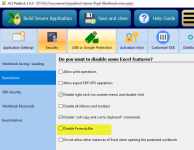
Please note that XLS Padlock 3 has now the ability to hide the formula bar and prevent users from activating it again during the Excel secure session. You can do it here:
Last edited:
It’s always possible but it depends whether your maintenance is still active or not. Check your account at https://www.xlspadlock.com/account
If it has expired, you can renew it when you want. And with a discount.
If it has expired, you can renew it when you want. And with a discount.