Fat Free Framework error, probably broken php autoloading?

StoryHack

New member
I would like to use ExeOutput for PHP and f3 (Fat Free Framework) to build an app. Before I really dive in, I wanted to make sure that I could get the basic setup to work right. I set up a bare bones “Hello World” application to test whether I have ExeOutput configured correctly.

When I run php’s built in server on a localhost port, the app/site works fine. However, when I compile with ExeOutput, the app window displays a 404 error. When I remove the need for autoloading a class, I can get the compiled app to display what I expect. However, I really do need the autoloading to work, and I’m pretty sure I just have something configured wrong.

More details in the replies.
 
MOre details on what I have tried:

Method 1, works, but won’t work for a real app

In the index.php, I route like this:
Code:
$f3->route('GET /', function(){
	echo "Hello!<br/><a href='/about'>about</a>";
});
$f3->route('GET /about', function(){
	echo "About<br/><a href='/'>home</a>";
});
 
Last edited:
Method 2: uses autoloading, works with php’s built-in browser and xampp, error after exeoutput compilation

Here is the from the index.php file:
Code:
...
$f3->set('AUTOLOAD','controllers/');

$f3->route('GET /', "Site->home");
$f3->route('GET /about', "Site->about");
...
?>
And here is from the controllers/site.php file:
Code:
class Site {
	function home($f3){
		echo '<h1>Home Page</h1><br/><a href="/about">About</a>';
	}
	function about($f3){
		echo "<h1>About</h1><a href='/'>Home</a><br/>";
	}
}
 
When I run the following in a command/powershell window:
Code:
php  -S localhost:8000
I can open a browser to localhost:8000 and click the links to switch between the 2 pages just fine.

But when I compile this app, I get a 404 error. I have the error logging turned on, and this is what is logged in php_errors.log:
Code:
[05-Oct-2022 19:23:49 Europe/Paris] HTTP 404 (GET /)
[05-Oct-2022 19:23:49 Europe/Paris] [C:/Users/runam/Documents/SynologyDrive/bryce_personal/Projects/ExeOutputTest/Data/index.php:10] Base->run()
I feel like I have a ExeOutput setting wrong somewhere that is causing this not to work. Any thoughts?
 
Last edited:
Ok, I figured out what to do, if anyone else ever has this issue.

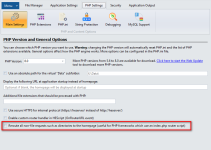
In the ExeOutput file manager tab, I had to find the php file containing the class that would be “autoloaded” by php. Right click on that file → properties from the menu. Then check the box that says “Unpack the file(s) to virtual memory at startup.” Then click OK. I recompiled after than and the app worked.
 
Back
Top