Out of 40 pc that we have, only 6 able to run it without any problem. Other than that all stucked. I have tried different version of php and also change different Rendering Engines. But eventually it still failed. Can you help me to identify the problem?

You are using an out of date browser. It may not display this or other websites correctly.
You should upgrade or use an alternative browser.
You should upgrade or use an alternative browser.
Solution Exe stucked at "Just a moment, please..."
- Thread starter hongchee
- Start date
The thread has a solution
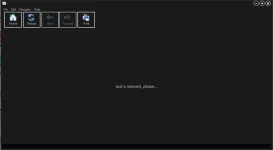

Thanks for the detail. The "Just a moment, please..." screen is the launcher's loading state while the bundled PHP-CGI process and the embedded Chromium (or WebView2) browser are being started by the EXE. When 6 PCs out of 40 succeed and the rest hang there, the cause is almost always something on the failing PCs blocking one of those two startup steps. The fact that switching PHP versions and rendering engines did not change the outcome is a useful signal: it points away from "the PHP runtime is wrong" and toward "something on the host PC is preventing the runtime from spawning at all".
To narrow it down, we need a couple of data points from a representative failing PC:
Reply with as many of the points above as you can gather from one of the failing PCs. Thank you!
To narrow it down, we need a couple of data points from a representative failing PC:
- Which Windows version are the failing PCs on? Specifically: Windows 10 / 11, edition (Home / Pro / Enterprise / LTSC), build number (
winver). Are the failing PCs on a different Windows version than the working 6, or in a managed-domain environment (corporate AD, Intune)? - What antivirus / endpoint protection is active on the failing PCs? Especially Symantec Endpoint Protection, McAfee, CrowdStrike, SentinelOne, Sophos, Cylance, ESET, Trend Micro , these are routine causes of "child process spawn blocked" on enterprise fleets, with no obvious user-facing alert. The 6 working PCs may simply have a different policy or be exempted.
- Are the failing PCs allowed to bind to localhost? ExeOutput's CEF engine and WebView2 engine both rely on the EXE binding a port on
127.0.0.1for their internal communication. If a corporate firewall or HIPS policy blocks loopback binding for unknown executables, the EXE freezes at exactly the "Just a moment" screen. - Are the Visual C++ Runtime libraries installed on the failing PCs? Specifically the Microsoft Visual C++ 2015-2022 Redistributable (x64). The CEF runtime depends on these. They are usually present on any developer / domain-joined machine, but not always on stripped-down end-user images.
- Can you capture the Windows Event Viewer log on a failing PC? Open Event Viewer → Windows Logs → Application, filter by Source = your EXE name, and copy the most recent error entries that match the moment you launched the EXE. The error text there is far more specific than what the EXE itself displays.
- Does the EXE actually run as a process when stuck? On a failing PC, open Task Manager → Details and look for your EXE name and for
php-cgi.exe(or similar). If only the parent EXE is running and no child PHP process spawned, the failure is at the PHP-CGI spawn step (almost always AV / EDR blocking process creation). If both are running but the browser is stuck, the failure is on the rendering side.
Reply with as many of the points above as you can gather from one of the failing PCs. Thank you!
Last edited: