Catch the complete PATH using OpenFileDialog()

gonzalesc

New member
Hi.

I followed this guide: http://www.exeoutput.com/help/choosingfilesupload

I put the code in UserMain:
Code:
function OpenDlgFile: String;
begin
Result := OpenFileDialog(“Select a File to open”, “.”, “.”, “All files (.)|.”, “”);
end;
And in my view, put the link:

<input type="text" id="path_doc" name="path_doc" value="" /> <a href="hescript://UserMain.OpenDlgFile">Browser</a>

Then, when click in the link a file browser opens. is cool !

But I need save the path that I selected in the input text called path_doc.

Could you give me a clue how to do it please?
 
Hi. Thanks for replying.

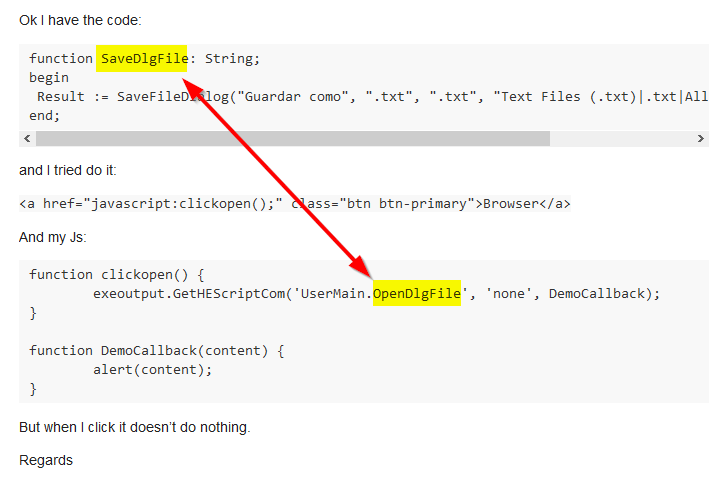
Ok I have the code:
Code:
function SaveDlgFile: String;
begin         
 Result := SaveFileDialog("Guardar como", ".txt", ".txt", "Text Files (.txt)|.txt|All files (.)|.", "");
end;
and I tried do it:

<a href="javascript:clickopen();" class="btn btn-primary">Browser</a>

And my Js:
Code:
function clickopen() {
	exeoutput.GetHEScriptCom('UserMain.OpenDlgFile', 'none', DemoCallback);
}

function DemoCallback(content) {
	alert(content);
}
But when I click it doesn’t do nothing.

Regards
 
Ok I tried with:

“hescript://”

exeoutput.GetHEScriptCom('hescript://UserMain.OpenDlgFile', 'none', DemoCallback);

But it were the same. It doesn’t do nothing.

Regards
 
Last edited:
Hi.
That was just a writing error.

I have my function in UserMain:
Code:
function OpenDlgFile: String;
begin
Result := OpenFileDialog("Seleccion el fichero", "*.txt", "*.txt", "Text FIles (*.txt)|*.txt", "");
end;
My JS is:
Code:
function clickopen() {
	alert('test 1');
	exeoutput.GetHEScriptCom('UserMain.OpenDlgFile', 'none', DemoCallback);
	alert('test 2');
}

function DemoCallback(content) {
	alert(content);
}
And my HTML is:

<a href="javascript:clickopen();" class="btn btn-primary">Browser</a>

Then when I click the link, this show the alerts “test 1” and “test 2” but the dialog window doesn’t open and therefore, DemoCallback doesn’t runs.

Regards
 
gonzalesc said:
function clickopen() {
alert(‘test 1’);
exeoutput.GetHEScriptCom(‘UserMain.OpenDlgFile’, ‘none’, DemoCallback);
alert(‘test 2’);
}
Try

function clickopen() {
alert(‘test 1’);
exeoutput.GetHEScriptCom(‘hescript://UserMain.OpenDlgFile’, ‘none’, DemoCallback);
alert(‘test 2’);
}
 
Yes! I tried with “hescript://” but nothing. The alert “test1” and “test2” works but the dialog window doesn’t open.

Please, some idea?

Or is there any other way to do it using JS?
 
We found the error: there is an incorrect parameter.

function clickopen() {
alert(‘test 1’);
exeoutput.GetHEScriptCom(‘hescript://UserMain.OpenDlgFile’, ‘none’, DemoCallback);
alert(‘test 2’);
}

It should be:
function clickopen() {
exeoutput.GetHEScriptCom(‘hescript://UserMain.OpenDlgFile’, DemoCallback);
}
 
Last edited:
Cool !!
It Works. Thanksss!

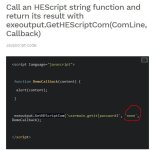
In the documentation, the function “GetHEScriptCom” has “none” as second parámeter:

Captura

Regards
 
Back
Top