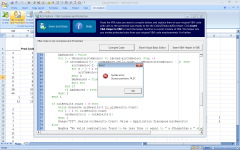
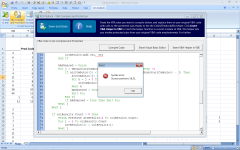
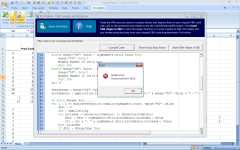
Vba compiler errors x3

Trying to help as a fellow user:
Error 1: the compiler has its own way to deal with VBA arrays. You can find how to use the dynamic arrays in the manual. I got it worked basically, but because of its not-so-fast speed, i had to find a way to get arround it - move my code to vb6 and link it back to the compiler. You may find more information in my posts somewhere in the forum.
Error 2: involves with collections. I got the same problem and XLS padlock has answered mine somewhere in the forum. Haven’t tried yet, not sure if it works. My way arround this -move my code to vb6.
Error 3: Involves with error handling. Appears that the compiler does have this functionality but it is in different syntax which hasn’t been documented in the manual.
XLS PADLOCK - can you please help to clarify this?
Besides all of these, in my own opinion, XLS PADLOCK is doing a great work helping our VBA Excel community.
 
Thanks there PhuongM

My whole application make use of an array…so BIG problem right there. And like you said speed is big problem I can NOT afford a slow opperation -as it is Vba is slow if its even slowed down even more it will be a major problem. I would appreciate your help there…where is your post -thanks once again for your help. I await on XLS padlock people for a solution as that is holding me back from purchasing it DOESNT support my array code. May you give some help getting showing me to get the code diverted to VB6 -I will be searhing your posts as I am in dire straits to get it sorted. Thank you PhuongM. They do a good job I just hope they were here more often…7 questions unanswered from the community thats sadly not good support on their product letting clients hang in thin air
 
You may find a simple sample code to see how the XLSPadlcok deal with arrays at the below link.
5_f40856482fe1e45ac8f1605885140a2d.png
VBA Compiler - Dynamic array performance XLS Padlock
I successfully brought my main function which contains more than 2500 lines of codes into the VBA Compiler. It was able to run eventually and produce similar results compared to what the original VBA codes did. Yay!!! However, there is an issue - code performance. The compiled code is really sluggish, and it fails with a bit larger data set. Note that the same inputs works fast and perfectly with my original VBA code. I suspect the culprit for the poor performance of the compiled code could be…
 
Here are some simple array samples supported by the VBA compiler:
View attachment 722
PhuongM said:
Error 3: Involves with error handling. Appears that the compiler does have this functionality but it is in different syntax which hasn’t been documented in the manual.
Yes, the compiler has error handling but it is different than in usual VBA.
Error blocks use these keywords:
try … except and try … finally blocks
try … catch … end try and try … finally … end try blocks

For instance:
 

Attachments

  • image.png
    image.png
    4 KB · Views: 0
Vb6 = Microsoft Visual Basic 6.0
Basically you can move your code to vb6 then create ActiveX dll files and call them from VBA. It is a very old school compiler but it still works for me.
 
Back
Top