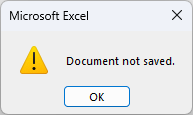
Document Not Saved - SAve error

excelvbaisfun

New member
Hi,
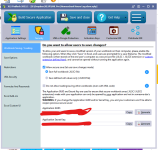
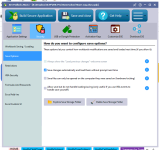
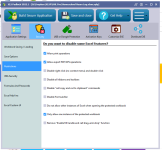
When I open my EXE file and make a change and try to save, it always gives the following errors and will not allow saving, even though I have the settings for it to allow saving. See screenshots below.

BTW, the markbook Demo from the XLS Padlock website saves perfectly, so I don’t know what would cause this without help.
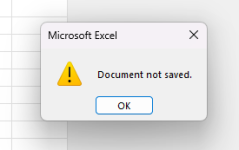
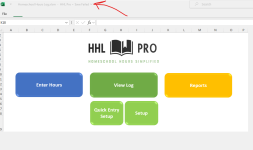
Screenshot 2024-08-24 100320

Screenshot 2024-08-24 100511

Screenshot 2024-08-24 101515

I’ll add my settings in a moment since now all of a sudden, the XLS Padlock Ribbon has disappeared and I have to reboot my pc.

Thanks
Dan Strong
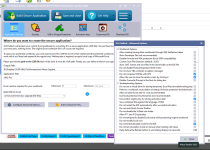
 
Here are my settings:

Screenshot 2024-08-24 104415

Screenshot 2024-08-24 104503

Screenshot 2024-08-24 104523

Screenshot 2024-08-24 104541

Screenshot 2024-08-24 104605

Screenshot 2024-08-24 104625

Please help me figure out why mine won’t save but the Markbook Demo on the XLS Padlock website will save just fine.

Thanks
Dan
 
For some reason, there is an unknown error in your workbook. Please try this:
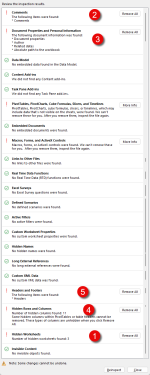
  1. use the Document Inspector of Excel to detect any possible internal problem.
  2. In “Formulas and passwords”, tick “Use Excel automation for formula protection” to see if it helps.
 
Please also try the Document Inspector of Excel to detect any possible internal problem. The error report you sent us mentioned an OLE error due to Excel malfunctioning while treating the workbook.
 
I ran the document inspector and removed everything except pivot tables and VBA and the problem persisted. Here’s the order I went in when removing things and retrying:
image

Thanks
Dan
 
Using Microsoft 365, it was current but I went ahead and did an Office Repair, both Quick Repair and then the full Online Repair. Still getting errors.

I kept a log of all the different tests I tried by starting with a fresh workbook and incrementally adding features. It saved fine until I copied all the Userforms, Macros and Sheets from the original workbook. Here’s my log of things I added and when the errors occurred:

image

Here’s the ‘File not saved’ errors
image

image

Thanks
Dan
 
Please let me know if there are other ways to determine what’s wrong with the file. For all intents and purposes, this is a normal macro enabled Excel file. I wasn’t aware of Excel features that XLS Padlock can’t protect, such as macros or Pivot tables.

Is there a way to debug the issue?

Thanks
Dan
 
I suppose that you cannot share your workbook with us? Or if yes, that would be helpful. The problem seems anyway internal to Excel so it will be difficult to find out.
 
Thank you!
Drop us an email to info AT xlspadlock DOT com. Zip your workbook (better password protect it so it is encrypted) and provide us with the password file.
Please also include your XLS Padlock project file (XPLP) and formulas file (if you protected formulas).
 
It won’t send, stating the following:

Your message did not reach some or all of the intended recipients.
  • Code:
     Subject:	Document Not Saved - SAve error - sample file*
  • Code:
     Sent:	9/6/2024 3:32 PM*
The following recipient(s) cannot be reached:
  • Code:
     '[email protected]' on 9/6/2024 3:33 PM*
  • Code:
           550 5.7.1 Your message has been rejected because you have been detected sending a virus.*
 
Hey guys, any luck so far? I can’t distribute my app until we figure out why XLSPadlock won’t protect it. I appreciate any help.

Thanks
Dan
 
Sorry for the delay, we studied your file and reproduced the issue. But we haven’t found the reason. It’s a bug in Excel, and we are still looking for a workaround. We’ll keep you in touch.
 
I just saw the email for the new version. If I get XLS Padlock 2024.2, will this issue go away so I can start distributing my app?

Thanks
Dan
 
Back
Top